What makes this different from a generic browser automation page?
It explains how OpenClaw Setup connects a managed runtime to your real local Chrome session through the extension relay workflow.
Connect a hosted instance to your real Chrome session so OpenClaw can work with live tabs instead of a disconnected demo environment.
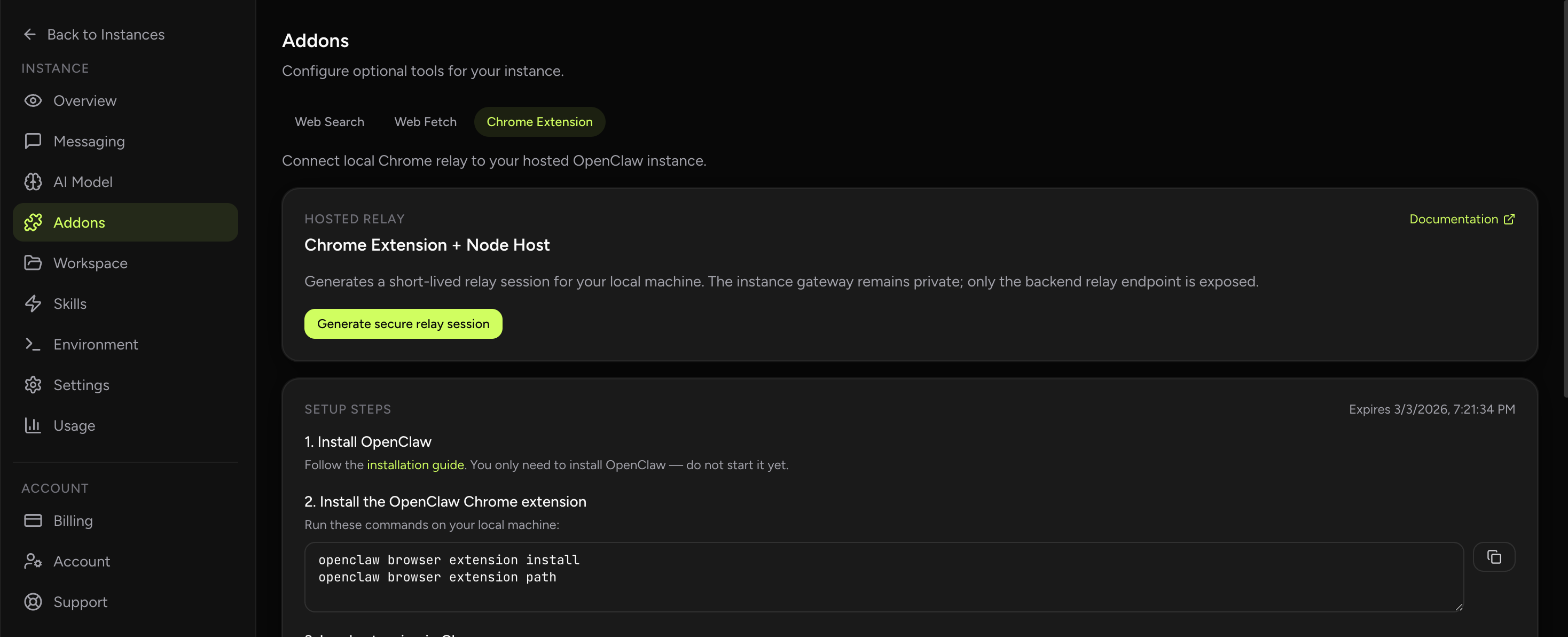
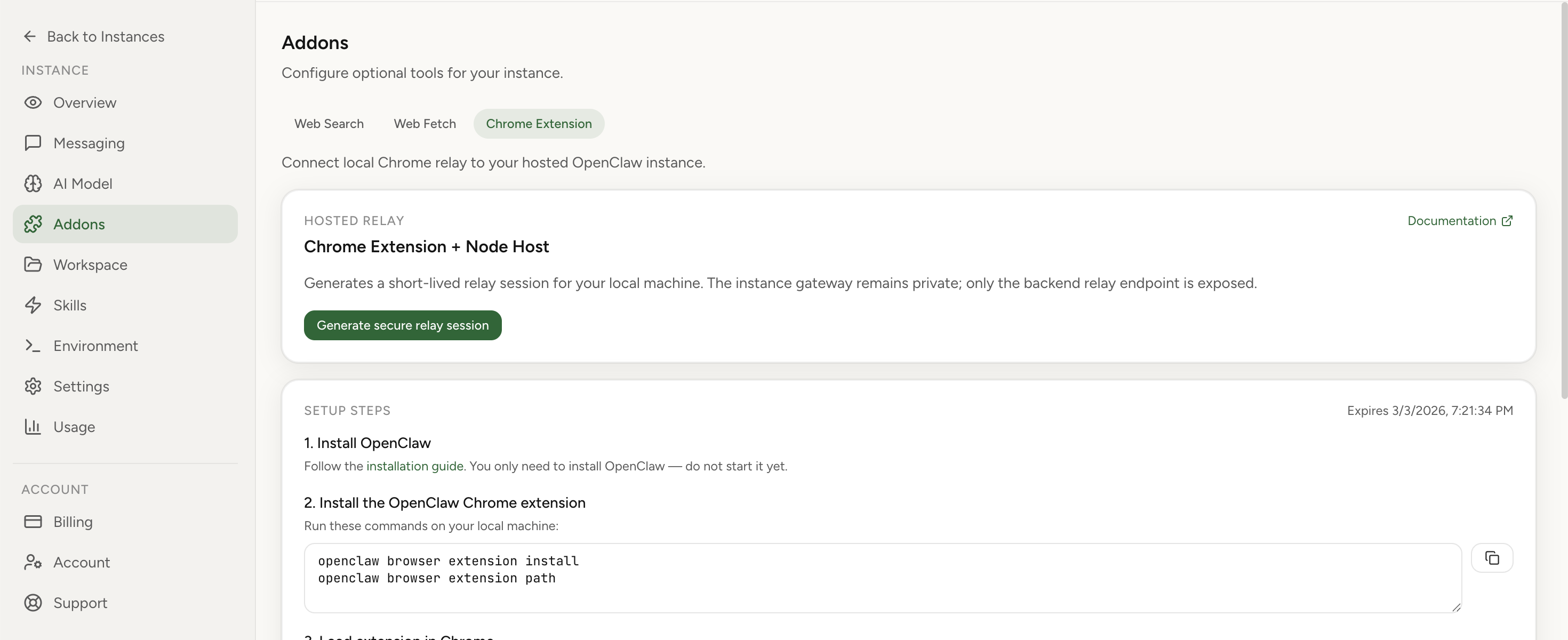
OpenClaw Setup includes first-class Chrome Extension relay support in Addons. Generate a short-lived relay session, run the local node host command, authenticate extension options with gateway token, and attach the exact tab you want to control.
Official Chrome extension docsChrome relay product updateBrowser timeout troubleshooting
Real product screenshot
Browser control starts with a relay session created from the dashboard. After that, you authenticate the Chrome extension options and attach the live tab you want the agent to use.
This keeps the managed runtime on the hosted side while letting the assistant work against your real browser context on the local side.
This setup is useful when your agent needs authenticated sessions, real tabs, or browser actions that do not make sense inside a synthetic environment.
If you run into relay or timeout issues, the linked troubleshooting posts cover the common failure paths without cluttering the main setup flow on this page.
It explains how OpenClaw Setup connects a managed runtime to your real local Chrome session through the extension relay workflow.