Hosted OpenClaw cron job management is live in OpenClaw Setup
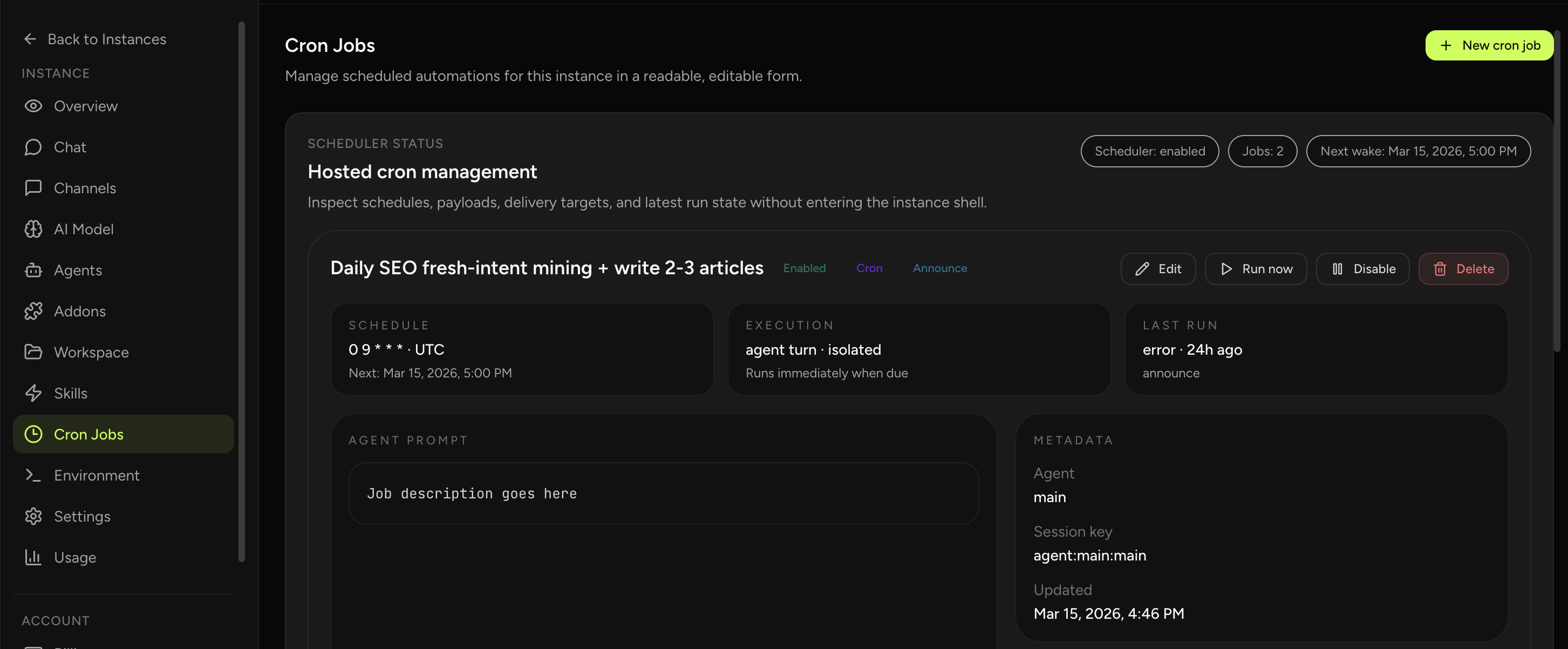
You can now create, edit, run, enable, disable, and delete OpenClaw cron jobs directly from the dashboard, with a readable hosted UI for schedules, execution lanes, payloads, delivery settings, and latest run state.
What shipped
- Readable cron overview: see schedules, execution lane, delivery mode, latest run status, and next wake time without dropping into the shell.
- Full lifecycle controls: create, edit, enable, disable, run now, and delete jobs from one dashboard flow.
- Flexible scheduling: choose one-time, interval, or cron-expression schedules, with timezone input for calendar-based jobs.
- Execution targeting: send work to the main session, an isolated cron session, the current session, or a custom named session.
- Payload controls: choose agent-turn vs system-event execution, with model, thinking, and timeout overrides for agent-turn jobs.
- Delivery controls: keep results internal, announce them into chat, or post them to a webhook.
- Hosted validation: human-friendly forms reduce the need to hand-build cron payloads or edit gateway state manually.
- Safer operations: cron stays visible and editable after restarts instead of hiding in storage files and ad-hoc commands, with last-run and delivery errors visible when something breaks.
Why this matters
Cron is one of the most useful parts of OpenClaw in production, but it gets messy fast when the only way to manage it is through CLI calls, gateway payloads, or direct storage edits. Once you have several jobs, you need a trusted place to inspect schedules, verify the next run, and test changes without guessing what the runtime will do.
The hosted cron UI fixes that operating problem directly. You still get the native OpenClaw scheduler underneath, but the normal lifecycle is now readable and manageable from a proper control panel with the key execution choices exposed instead of hidden behind gateway payloads.
If you already have an OpenClaw instance, OpenClaw Setup supports importing it with a simple zip file upload. That makes it much easier to bring over existing cron jobs, workspace files, and runtime state instead of recreating everything by hand.
Best first use cases
- Morning summaries and recurring reports
- Reminders and follow-up nudges
- Background maintenance tasks that should stay out of the main chat flow
- Operational automations that need a quick run-now test before going live